Quick facts
- Application
- KetoBL APK
- Developer
- KetoBL Team
- Latest version
- v7.0
- Distribution
- Sideload APK (not on Google Play)
- Platform
- Android 5.0+
- File size
- 12 MB
- Also searched as
- Ketoble, Ketobi, Ketobol, Ketolb, KetoBL4
- Not affiliated with
- VAXA Studio & YANE TECHPRO Play Store apps
“Is KetoBL APK safe?” and “Is KetoBL legit?” are different questions. Safety is about file integrity and install risk. Legitimacy is about whether rewards behave as advertised — modest entertainment value, not salary. This guide answers both honestly, without claiming the app is “100% safe” or promising guaranteed money.
KetoBL APK sideloading carries standard APK risks. Download only from ketobl.pro, keep Play Protect on, and avoid Play Store apps from VAXA Studio and YANE TECHPRO — they are not the official earning app. Rewards are modest entertainment, not guaranteed income.
Understanding Sideload Risks
KetoBL is not on Google Play. Distribution is a direct APK install — sideloading. That means:
- The file bypasses Google’s pre-publish review pipeline.
- You must verify the download source yourself.
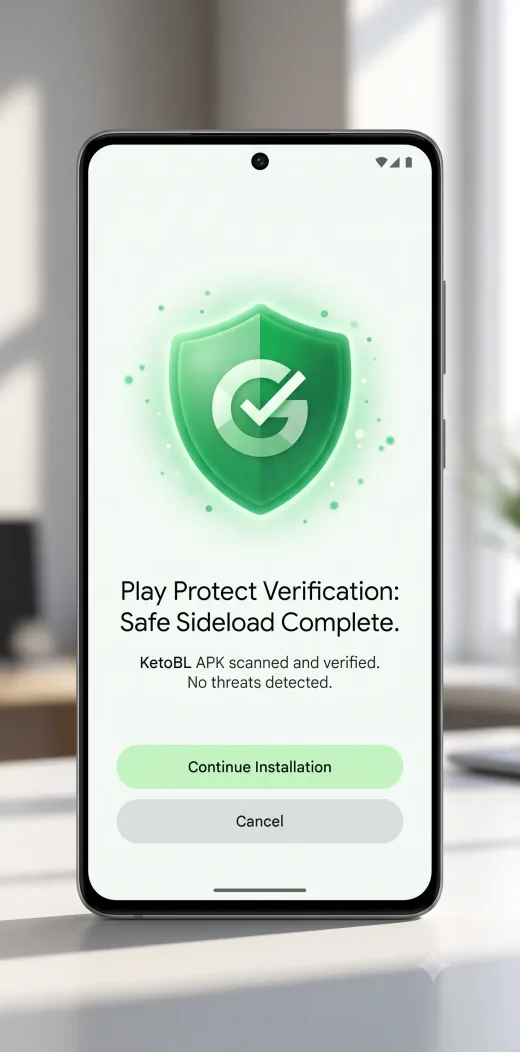
- Play Protect still scans at install time — keep it enabled.
Common sideload risks (all APKs, not just KetoBL)
| Risk | How it happens | Mitigation |
|---|---|---|
| Modified binary | Mirror site injects adware | Download only from ketobl.pro |
| Outdated build | Old v6.22 mirror without patches | Use v7.0 from homepage |
| Phishing page | Fake “Ketobl” download landing | Check URL is ketobl.pro |
| Permission abuse | App requests excessive access | Read permissions; deny suspicious ones |
| Clone apps | Wrong package posing as KetoBL | Verify earning UI after install |
Do not turn off Play Protect. Safer steps: allow installs from your browser only, review scan details, proceed only when source and file size (~12 MB) match expectations.
Play Store Fake Apps Compared
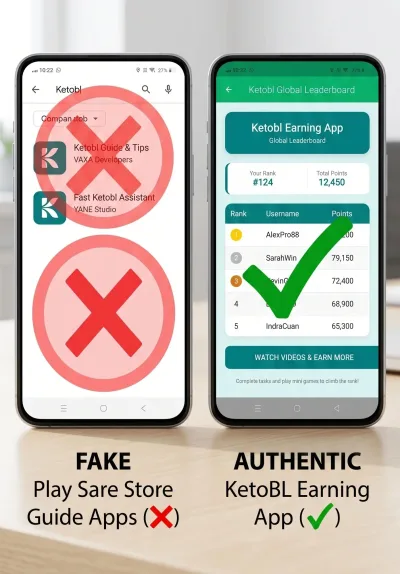
Searching “Ketobl” on Google Play surfaces third-party apps that rank for the keyword but do not distribute the official KetoBL earning APK:
KetoBL APK is distributed as a sideloaded Android file. Apps titled “Ketobl” on Google Play from VAXA Studio and YANE TECHPRO are third-party guide apps and are NOT the official KetoBL earning application.
Master comparison table
| KetoBL APK (ketobl.pro) | VAXA Walkthrough | YANE Hint App | |
|---|---|---|---|
| Name | KetoBL APK v7.0 | Ketobl Link Apk Walkthrough | Ketobl Earning App Hint |
| Developer | KetoBL Team (sideload) | VAXA Studio | YANE TECHPRO |
| Package | Sideload file | com.walktroughtapp.apkketobi | com.space.andd.cosm.ics.apps.wal.lpape |
| Distribution | APK sideload | Google Play | Google Play |
| Downloads | ketobl.pro | 10+ | 50+ |
| Purpose | Tasks, wheel, mini-games | Educational guide | Hints / walkthrough |
| Collects device IDs | Typical reward-app pattern | Per store listing | Per store listing |
| Official earning app? | Yes | No | No |
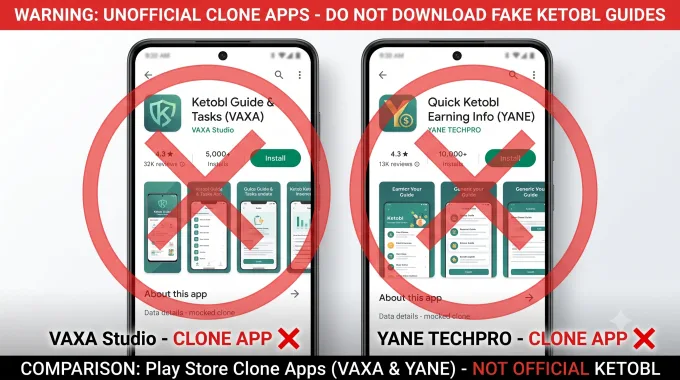
VAXA Studio Walkthrough App
Ketobl Link Apk Walkthrough (com.walktroughtapp.apkketobi) is published by VAXA Studio with roughly 10+ Play Store downloads. Store descriptions frame it as an educational walkthrough — not a live reward platform with task walls and point redemption.
Why users install it by mistake: The title contains “Ketobl” and “Apk,” matching search intent for the earning app. Users expecting check-in bonuses and lucky-wheel points instead get static guide content.
What to do: Uninstall if you wanted the earning app. Download v7.0 from ketobl.pro and follow the homepage install guide.
YANE TECHPRO Hint App
Ketobl Earning App Hint (com.space.andd.cosm.ics.apps.wal.lpape) is published by YANE TECHPRO with 50+ downloads. Listings describe hint/walkthrough functionality. Per Play Store privacy disclosures, it may collect device identifiers — a concern if you believed you were installing the core earning platform.
Why this matters for safety: Guide apps with broad device-ID collection are not equivalent to the sideload KetoBL APK, but they compete for the same search queries. Data collection practices differ from what users expect when searching “KetoBL earning.”
What to do: Treat Play Store “Ketobl” results carefully — read developer name and package ID before installing anything.
Permissions to Review
Reward apps commonly request:
- Internet — Task walls, ads, account sync.
- Storage — Cache for media tasks and updates.
- Advertising ID — So partner companies know you finished a task (common in reward apps).
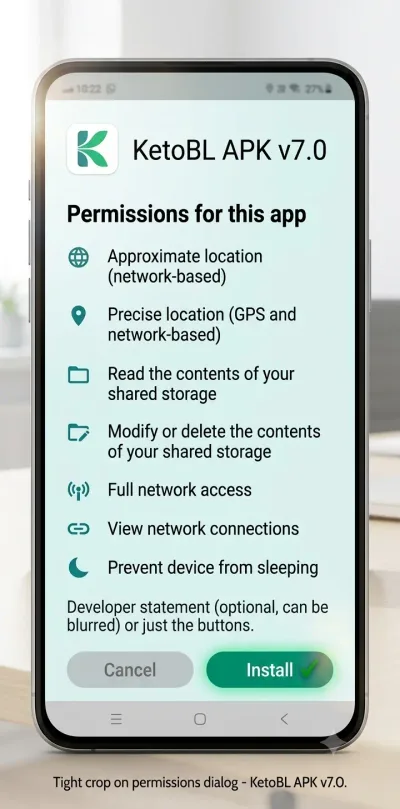
At install and in Settings → Apps → KetoBL → Permissions, review each group. Unusual requests (SMS read without SMS verification, call logs without stated feature) warrant caution on any APK, including clones.
Permission lists below reflect common reward-app patterns. After install, check Settings → Apps → KetoBL → Permissions and compare with what you see on your phone.
Play Protect — Safer Install Steps
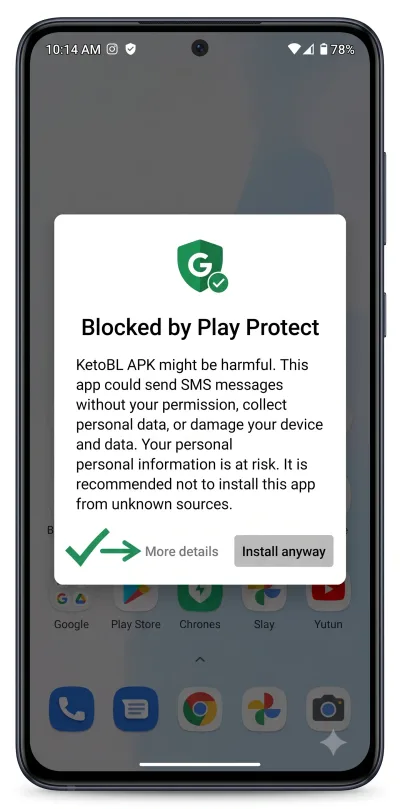
Recommended flow (do not disable Play Protect globally):
- Download v7.0 only from ketobl.pro.
- Enable Install unknown apps for your browser only (Settings → Apps → Special app access).
- When installing, if Play Protect warns, tap More details.
- Verify source is your ketobl.pro download and size ~12 MB.
- If warning references an unknown mirror — stop and re-download from ketobl.pro.
- After install, optional: Play Store → Profile → Play Protect → scan device.
| Play Protect message | Meaning | Action |
|---|---|---|
| Harmful app blocked | Scanner flagged file | Verify ketobl.pro origin; avoid mirrors |
| Unknown app warning | Sideload not Play-reviewed | Expected; review permissions |
| Install anyway | User override available | Only after verifying file integrity |
Is KetoBL Legit for Earning?
Authenticity: Real KetoBL = sideload from ketobl.pro. Play Store VAXA/YANE apps = not the earning platform.
Economics: Points convert to modest redemptions (gift-card-style rewards in some regions). This is small rewards for time spent — not a job or guaranteed payout.
| Claim you may see online | Reality |
|---|---|
| ”Unlimited money mod” | Misleading — KetoBL is not a game mod |
| ”100% safe APK” | No honest site guarantees this for sideloads |
| ”Earn $100 daily” | Not realistic for reward apps |
| ”Official Play Store app” | False for the earning APK |
Read How KetoBL Earning Tasks and Rewards Work for task types and honest time-to-reward math.
Red Flags on Clone APKs and Mirror Sites
Avoid sources that:
- Host dozens of unrelated APK spam posts (typical APK index clutter)
- Show version numbers far above v7.0 without proof
- Demand disabling all security settings permanently
- Bundle a separate “mod menu” or crack tool
- Push Telegram APK forwards without HTTPS landing page
If something feels wrong after install
- Uninstall immediately.
- Run Play Protect full scan.
- Change passwords if you entered credentials into a suspicious clone.
- Report mirror URL to ketobl08@gmail.com.
Install issues: KetoBL APK Problems and Fixes.
Download safety checklist
Before installing any APK labeled KetoBL from outside ketobl.pro, ask:
- Does the landing page host unrelated game mods or casino APK spam?
- Does it promise “100% safe” or “unlimited money”?
- Does the file size diverge sharply from 12 MB?
- Does it demand disabling all Google security features?
- Does the installed app lack a task wall and point balance?
Five “yes” answers to red-flag questions means walk away. Verify the earning experience using the homepage, FAQ, and linked guides before trusting an unknown source.
Reporting fake apps and clones
Help other users searching Ketoble, Ketobi, or Ketobol spellings: report misleading Play Store listings through Google’s “Flag as inappropriate” flow, and email suspicious mirror URLs to ketobl08@gmail.com.
Parental and shared-device note
Reward apps expose advertising and third-party offers. On shared family tablets, review whether task-wall surveys are appropriate for all users. Restrict installs to adults who understand data sharing implications of offer walls — standard guidance for any ad-supported rewards product, not a unique KetoBL warning.
Summary: safe vs legit in one table
| Question | Short answer |
|---|---|
| Safe to sideload? | Reduce risk via ketobl.pro + Play Protect — not risk-free |
| Play Store Ketobl apps? | Guide/hint apps — not earning APK |
| Legit income? | Modest entertainment rewards only |
| Disable Play Protect? | No — per-app install permission instead |
| Trust mirrors? | No — use canonical download |
Data practices: sideload APK vs Play Store guides
The earning APK and Play Store guide apps serve different functions and may collect different data. YANE TECHPRO’s listing references device identifiers. VAXA’s walkthrough app is educational only. Neither is the official KetoBL file you install from the homepage.
Before any install, read the permission dialog. After install, audit Settings → Apps → KetoBL → Permissions quarterly. Revoke access no longer needed after you stop using offer walls heavily. This hygiene applies to all reward apps, not only KetoBL.
If you already installed the wrong Play Store app
Uninstall Ketobl Link Apk Walkthrough or Ketobl Earning App Hint. Clear browser cache if you used scam download landing pages. Install v7.0 from ketobl.pro following the homepage guide. Confirm the earning UI — task categories, point counter, wheel — appears within the first session.